Your words, exactly.
Edit Markdown or plain text. Write, read, split the view, zoom the page, or clear everything else away in distraction-free mode.
 sideleaf
Room for your words.
A simple Markdown and text editor.
Your words. Your files. Your space.
Version 0.1.10 Free & open source
Mac: Apple Silicon, macOS 26.6.2 or later.
Windows: Windows 11 x64 and WebView2. Unsigned installer.
Linux: Build from the sources.
A quiet place to begin.
Write in Markdown, watch the preview take shape, and leave a note beside the words you want to come back to.
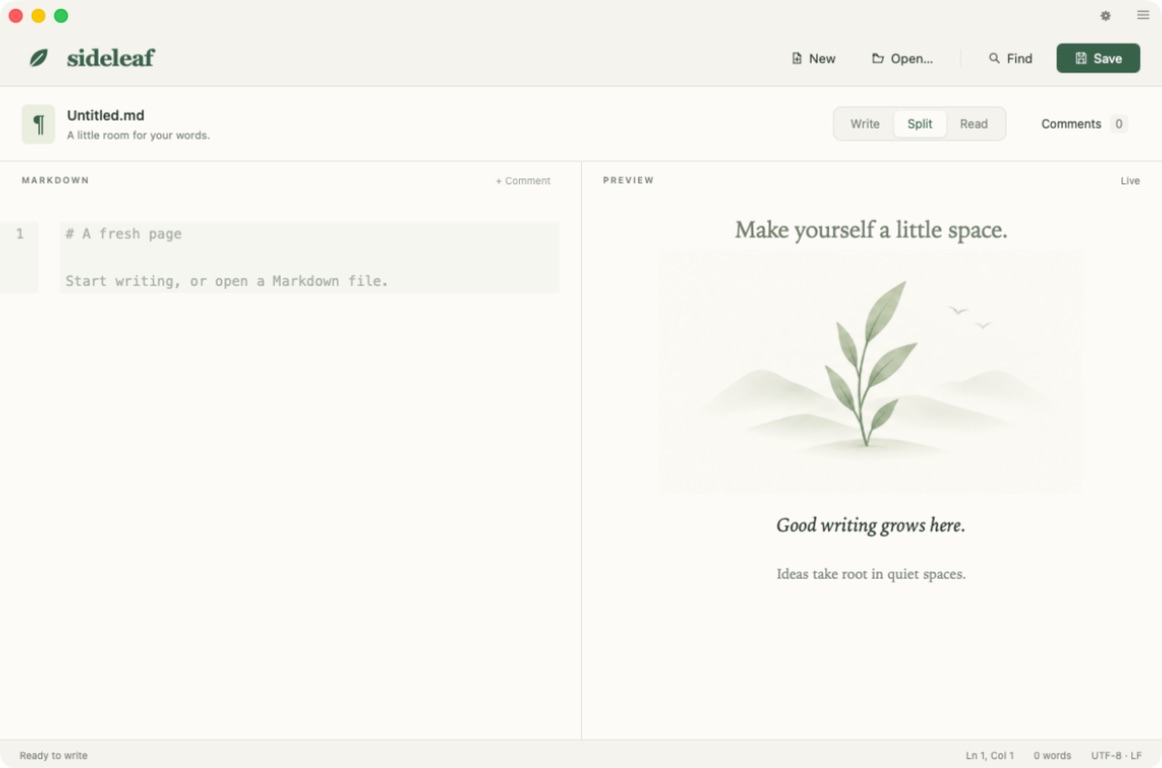
Edit Markdown or plain text. Write, read, split the view, zoom the page, or clear everything else away in distraction-free mode.
Start a review thread beside a passage, reply, and resolve it. Review proposed changes before accepting them. Threads and suggestions travel with your document.
Browse a folder of Markdown and text files, switch notes without losing your place, and autosave your open documents. Local recovery copies keep unfinished work close by.
Latest release.
Open any text file from the command line. JSON, INI, .env files and friends open as plain text and save byte for byte, with their line endings and final newline intact.
Tables break lines where you ask. The preview now renders line breaks inside table cells, while other raw HTML stays safely escaped.
Formatting shortcuts toggle emphasis on and off, and Return keeps tight lists going.
The Mac app is signed and notarized; drag it into Applications. For Windows, extract the ZIP, then run Setup. The Windows installer is unsigned.
No account. No analytics. Your writing stays on your computer.